May 07, 2026
Stop Writing Prompts - Just Use a Reference Image Instead
You have an idea in your head. A specific look. A mood. A film-grade color. Maybe a lighting style you saw in a luxury ad.
Now comes the hard part.
How do you describe that to an AI tool so it actually understands you?
Most people start writing long prompts. "Cinematic lighting, soft shadows, golden hour, bokeh background, shallow depth of field, 8K, hyper-realistic…"
You type all that. And still, the AI gives you something that looks… okay. But not exactly what you wanted.
Frustrating, right?
This is called the Prompt Problem. And there is a much simpler way to get perfect results. Stop writing prompts. Just use a reference image instead.
Let me explain how this works and why it changes everything.
The Big Problem with Text Prompts
AI is smart. But AI cannot read your mind. When you write "vintage look," one person means faded colors from the 1970s. Another person means grainy black and white film. Someone else means old travel posters from the 1950s.
Same two words. Three totally different results.
So you try to be more specific. You write longer prompts. Your prompt goes from 10 words to 50 words to 100 words. You start sounding like a robot. You waste minutes, sometimes hours, just typing.
And still, the output is not that exact color from that one photo you saw last week.
This is not your fault. Text is just not good at describing visuals.
The Simple Solution: A Reference Image
Instead of typing a thousand words, just show the AI what you want.
Pick any photo that has the style you like. It can be:
A screenshot from a movie
A celebrity photo from Instagram
A painting you found online
A product ad from a high-end brand
An old family photo with beautiful lighting
That photo is your reference image. It already contains everything the AI needs to know: the colors, the lighting, the mood, the texture, the contrast.
You do not need to describe any of it. The AI can see it.
This is exactly what PicRevamp does. You upload two photos:
Your face image (or the object you want to transform)
Your reference image (the style you want to copy)
That is it. No prompts. No typing. No guessing.
How It Works in Real Life (Step by Step)
Let me give you a real example so you understand how simple this is.
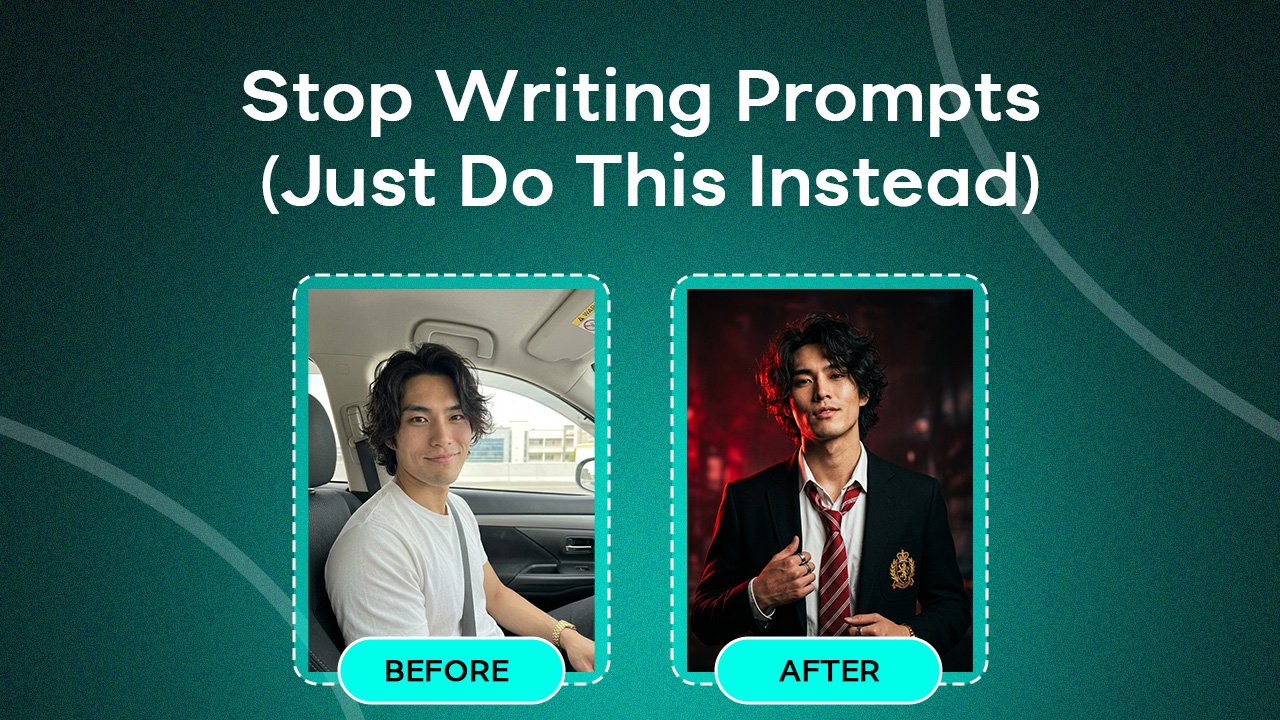
Step 1: You have a normal selfie.
Nothing special. Just a clear photo of your face taken with your phone.
Step 2: You find a reference image.
You saw a famous actor on a red carpet. The lighting is dramatic. The background is dark. The skin has a warm, golden glow. You love that look.
Step 3: You upload both to PicRevamp.
Face image = your selfie.
Reference image = the celebrity red carpet photo.
Step 4: AI does its magic.
It keeps your face exactly as it is. Your eyes, your nose, your smile, your expression all stay the same. But the lighting changes. The background changes. The colors shift to match that warm, dramatic red carpet style.
The result: You look like you belong on that same red carpet. Same face. Completely new, professional look.
No prompt writing. No "cinematic lighting, soft shadows, golden hour" typed anywhere. Just two images.
Why This is Faster and More Accurate
Let me show you a quick comparison.
| With Text Prompts | With Reference Image |
|---|---|
| You write 50–100 words | You write nothing |
| You guess which words work | You show exactly what you want |
| AI interprets your words (hit or miss) | AI copies the actual visual style |
| Takes 5–10 minutes of typing | Takes 10 seconds to upload |
| You try 3–4 different prompts | You get it right the first time |
The difference is huge.
When you use a reference image, you remove all the guesswork. You are not hoping the AI understands "moody vintage film look." You are giving it a real example of exactly what moody vintage film looks like.
Who Should Use This?
Honestly, anyone who creates visual content. But here are some specific examples:
YouTubers and creators: You need thumbnails that get clicks. Instead of describing "vibrant, high contrast, pop of color," just show a reference thumbnail from a trending video. PicRevamp applies that same eye-catching style to your face.
Small business owners: You have product photos but they look flat. Find a reference image from a luxury brand. Your product gets transformed to look premium and professional.
Photographers: You want to try new editing styles without spending hours in Lightroom. Find a reference photo with the look you want. Let AI apply it to your portrait in seconds.
Social media managers: You need consistent branding across 10 different posts. Pick one reference image that represents your brand style. Every post gets the exact same colors and mood.
Anyone tired of writing prompts: If you have ever stared at a blank text box wondering what words to type, this is for you.
Common Questions (Answered Simply)
Q: Do I need to be good at writing?
No. You do not write anything. Just upload images.
Q: What if my reference image is low quality?
Try to use a clear reference image. If the reference is blurry, the output might also look soft. For best results, pick reference images with good lighting and clear details.
Q: Will my face look exactly like me?
Yes. PicRevamp keeps your face identity intact. It changes the style, not your features. This is different from face-swap apps that replace your face with someone else's.
Q: Can I use any reference image?
Yes, any image you like. A movie scene, a painting, a photo of nature, a product ad. The AI studies the colors, lighting, and mood from that image.
Q: How many images can I transform?
Free plan gives you 2 images per month. Paid plans start at $8 per month for 10 images. You can upgrade anytime.
Try It Yourself Today
You do not need to be a prompt engineer. You do not need to take courses on "how to write AI prompts." You do not need to memorize keywords.
You just need two images: your face + any style you like.
Stop writing. Start showing.
👉 Try PicRevamp for free
(2 free images. No credit card required. No prompts needed.)
Final Thoughts
The AI industry has spent years telling you that you need to learn how to talk to machines. Write better prompts. Use the right keywords. Master the syntax.
That is backwards.
Machines should learn to understand humans. And humans communicate best with visuals.
A reference image is worth a thousand prompt words. Probably more.
So next time you want to transform a photo, do not open a notepad. Do not type "cinematic 8K hyper-realistic volumetric lighting."
Just find a photo you love. Show it to PicRevamp. And let the AI do the rest.
That is the future. No prompts. Just results.